USB vs XLR Microphones for Streaming and Gaming
The practical differences between USB and XLR microphones, what extra gear XLR actually requires, and how to decide which path fits your setup and budget.
The practical differences between USB and XLR microphones, what extra gear XLR actually requires, and how to decide which path fits your setup and budget.
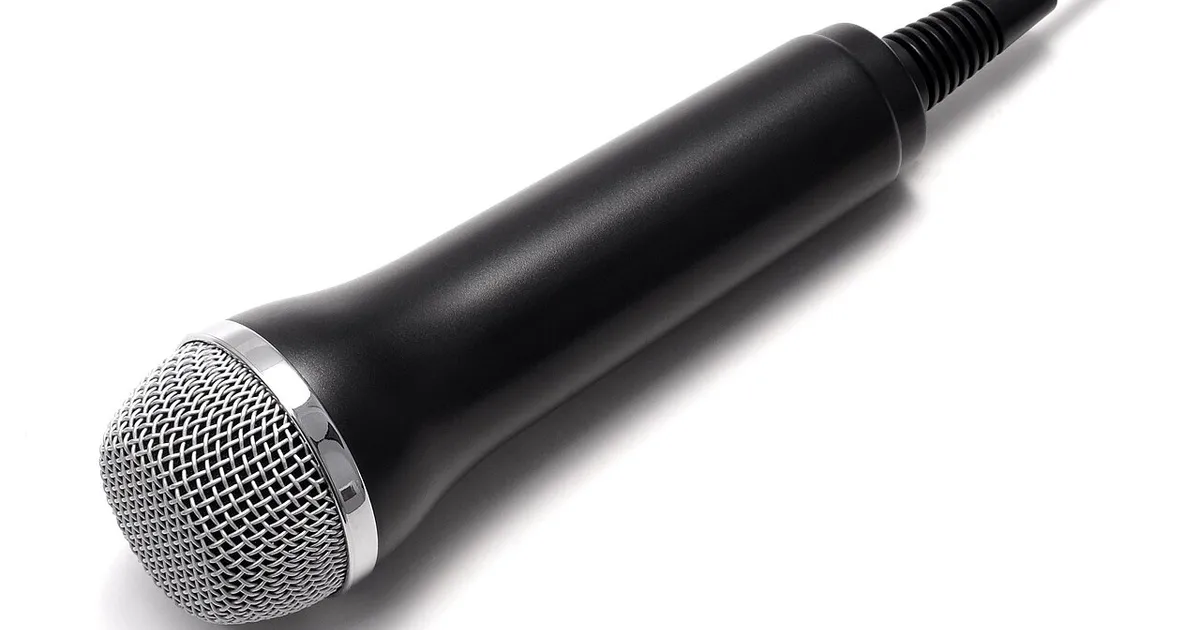
Photo by Evan-Amos / Wikimedia Commons / Public domain
If you’ve looked into upgrading your microphone for streaming, voice chat, or content creation, you’ve run into the USB-vs-XLR debate almost immediately. It’s less about which sounds “better” in the abstract and more about how much extra equipment and complexity you’re willing to take on.
USB microphones: plug and play
USB microphones connect directly to your computer, with the analog-to-digital conversion (the “audio interface”) built into the microphone itself. That’s the entire appeal: no separate hardware needed, straightforward setup, and reliably good results for most streaming, voice chat, and casual recording use. Many USB mics also include onboard controls — gain dials, mute buttons, headphone monitoring jacks — that make day-to-day use simple without touching software.
The tradeoff is flexibility. A USB mic’s converter and preamp are fixed at the factory; you can’t upgrade just the “interface” portion later, and running multiple mics or complex audio setups (multiple inputs, mixing, professional processing chains) is more limited than what XLR-based setups allow.
XLR microphones: more capable, more involved
XLR microphones use a professional-standard analog connector, but critically, they need an external audio interface or mixer to convert that analog signal into something your computer can use — the mic itself has no built-in USB conversion. This means an XLR setup is really a system: mic, cable, interface or mixer, and often a separate power source (phantom power) for condenser XLR mics.
What that extra complexity buys you is real flexibility: the ability to upgrade the interface/preamp independently of the microphone, better options for multi-source setups (streaming with instruments, co-hosts, multiple mics), and generally more headroom for further audio upgrades down the line without replacing the mic itself.
Which one should you actually get?
- Choose USB if: you want a simple, reliable setup for streaming or voice chat without learning audio interface routing, and you don’t anticipate needing multiple inputs or heavy post-processing control.
- Choose XLR if: you’re building a setup you expect to grow — multiple mics, instruments, or a more serious content production pipeline — and you’re comfortable with (or want to learn) an interface/mixer as part of the chain.
For the large majority of gamers and casual streamers, a good USB microphone covers the need completely. XLR makes sense once you have a specific reason to want the extra flexibility, not as a default “better” choice.
Don’t ignore mic placement and room treatment
Regardless of which connector type you choose, placement and room acoustics have an outsized effect on perceived quality — often more than the mic itself. A mediocre mic positioned close and correctly (see the polar pattern guide for how pickup direction affects placement) in a quiet, lightly treated room will usually sound better than an expensive mic used far away in an echoey space. Before spending on a mic upgrade, make sure you’re using your current one at the right distance and angle first.
A note on latency and monitoring
USB mics with a built-in headphone jack let you monitor your own voice with near-zero delay, which is worth having if you want to hear yourself without lag while talking. XLR setups depend on the interface offering direct/zero-latency monitoring — not all budget interfaces do, so check this spec if real-time self-monitoring matters to you.
The bottom line
There’s no universally “correct” choice here — it’s a tradeoff between simplicity and expandability. Start with what actually matches your current setup’s complexity, and remember that proper placement and a quiet recording space will improve either type of microphone more than chasing a bigger spec sheet will.
Our picks: Microphones
Shop on Amazon
Affiliate links.As an Amazon Associate I earn from qualifying purchases. Links below go to Amazon; prices and availability change, so check Amazon for current pricing.Affiliate disclosure
Illustrative photos: Photo by Evan-Amos / Wikimedia Commons / Public domain