A Beginner's Guide to RGB Lighting for Gaming Setups
An introduction to RGB lighting basics for gaming setups — how it works, what to look for, and how to avoid a cluttered, mismatched result.
Main page for lighting: Gaming Lights →
An introduction to RGB lighting basics for gaming setups — how it works, what to look for, and how to avoid a cluttered, mismatched result.
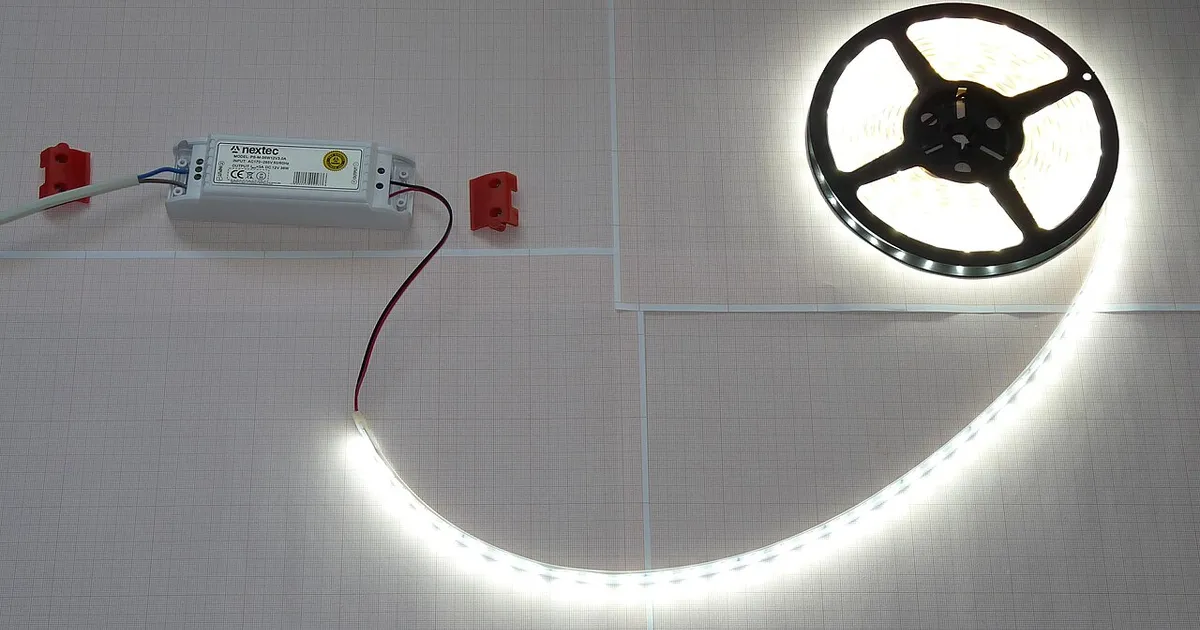
Photo by Dmitry G / Wikimedia Commons / CC BY-SA 3.0
RGB lighting has become a default expectation in gaming setups, but going from “a few random colored lights” to a setup that actually looks cohesive takes a bit of planning. Here’s what to know before you start adding lights.
How RGB Lighting Works, Briefly
RGB lighting uses red, green, and blue LEDs combined at different intensities to produce a wide range of colors from a single light source or strip. Most consumer RGB products today are “addressable,” meaning individual LEDs (or small groups of them) along a strip can be controlled independently, enabling effects like color gradients, chasing patterns, and reactive lighting rather than just a single solid color across the whole strip.
The Main Types of RGB Products
- LED strips: flexible, adhesive-backed strips you can route along desk edges, behind monitors, under shelves, or around a room. The most versatile and often the most cost-effective starting point.
- Light bars: standalone freestanding units, often placed behind a monitor, that provide ambient glow without needing to adhere anything to furniture.
- Smart bulbs: standard bulb form factor that replaces existing room lighting fixtures, useful for whole-room ambiance rather than close-up desk accents.
- Peripheral RGB: lighting built into keyboards, mice, headsets, and other gear, which is more about personal aesthetic on the device itself than room ambiance.
Sync or Don’t: Ecosystem Considerations
Many RGB products are designed to sync with each other through a shared software ecosystem, letting you control multiple lights, effects, and colors from one app or hub. Before buying multiple products, check whether they’re compatible with a shared control system — mixing several unrelated apps and hubs quickly becomes a hassle, and you may end up manually adjusting settings across five different interfaces to get a consistent look.
That said, syncing isn’t mandatory for a good setup. Plenty of people run a simple set of strips on their own app or even basic remote control, and the visual result can look just as intentional if you keep color choices consistent by hand.
Avoiding the Cluttered “Too Much RGB” Look
The biggest visual mistake in RGB setups isn’t using RGB — it’s using too many uncoordinated colors and effects at once. A few habits that consistently look better:
- Pick a limited color palette (one to three colors) and stick to it across all your lighting rather than letting each device cycle independently.
- Use static or slow, subtle effects for ambient/background lighting, and save fast color-cycling or reactive effects for accent pieces if you want a “showcase” moment, rather than applying them everywhere.
- Match brightness to purpose — accent lighting behind a monitor or along a desk edge should generally sit dimmer than functional task lighting, not compete with it.
- Coordinate with your room’s existing color scheme — RGB looks far more intentional when it complements wall color, furniture, and other decor rather than clashing against it.
Starting Small
If you’re new to RGB, a good starting point is a single strip behind the monitor or along the underside of the desk, set to a static or slow-shifting color that matches your room. This gets you the ambient glow benefit — and even doubles as informal bias lighting — without the complexity of a multi-device synced ecosystem. You can always expand later once you know what look you’re going for.
The Bottom Line
RGB lighting is genuinely fun to experiment with, but a setup with fewer, well-coordinated lights nearly always looks better than one with many mismatched effects running simultaneously. Start with a simple palette, get the placement right, and add complexity gradually rather than all at once.
Our picks: Lighting
Shop on Amazon
Affiliate links.As an Amazon Associate I earn from qualifying purchases. Links below go to Amazon; prices and availability change, so check Amazon for current pricing.Affiliate disclosure

Illustrative photos: Photo by Dmitry G / Wikimedia Commons / CC BY-SA 3.0; Photo by Raimond Spekking / Wikimedia Commons / CC BY-SA 4.0