GPU Sag Brackets and Vertical GPU Mounts: Supporting a Heavy Graphics Card
Why big graphics cards sag, when a support bracket is worth adding, and what to check before you mount a GPU vertically.
Why big graphics cards sag, when a support bracket is worth adding, and what to check before you mount a GPU vertically.
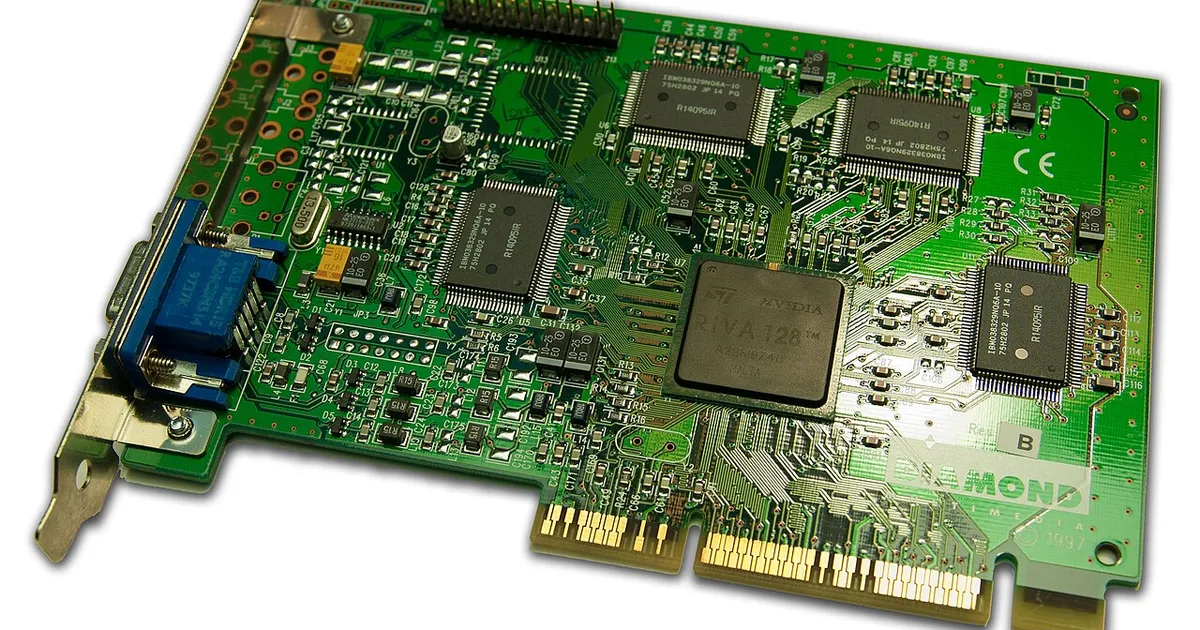
Photo by Timothy Borkowski / Wikimedia Commons / CC BY-SA 3.0
Affiliate links.As an Amazon Associate I earn from qualifying purchases. Links below go to Amazon; prices and availability change, so check Amazon for current pricing.Affiliate disclosure
Modern graphics cards are long and heavy. Most of that weight hangs off a single PCIe slot and a couple of screws at the bracket, so over time many cards tilt downward at the far end. That is called GPU sag. A little sag is mostly cosmetic, but heavy sag puts stress on the PCIe slot and the card’s circuit board.
When you need support
- Your card is a large triple-fan model, or it came with its own support bracket in the box (that’s a hint from the maker).
- You can see the far end of the card sitting lower than the bracket end.
- You plan to move or ship the PC. Remove the GPU or add solid support before transport.
Types of support
Adjustable stands sit on the bottom of the case or the PSU shroud and push up under the card. A simple GPU support bracket with a screw-adjustable height works in almost any case and is the easiest option.
Bracing bars screw into the case’s expansion slots and hold the card from the side. They suit cases where the GPU sits directly above the PSU shroud.
The bracket that came with your card is usually the best fit, because it’s designed for that exact card.
Vertical GPU mounts
A vertical mount stands the card up so its fans face the side panel, which shows off the card in glass cases. You need a riser cable and a bracket, either from your case maker or a kit such as the Lian Li vertical GPU mount kit.
Check these first:
- Clearance from the side panel: if the fans sit too close to the glass, the card can run hotter. Many cases have a minimum distance listed.
- Riser cable PCIe version: use a riser rated for PCIe 4.0 (or 5.0 for newer cards and boards). A cheap PCIe 3.0 riser can cause crashes or black screens with a newer card unless you lower the slot speed in the BIOS.
- Case support: some cases only support vertical mounting with their own official bracket.
Bottom line
If your card visibly sags, add a cheap adjustable support. It takes two minutes. Choose a vertical mount only for looks, and only with a riser cable that matches your card’s PCIe generation.
Our picks: PC building essentials & Case fans
Shop on Amazon
Affiliate links.As an Amazon Associate I earn from qualifying purchases. Links below go to Amazon; prices and availability change, so check Amazon for current pricing.Affiliate disclosure

Illustrative photos: Photo by Bill Abbott / Wikimedia Commons / CC BY-SA 2.0; Photo by Mkhan4793 / Wikimedia Commons / CC BY-SA 3.0; Photo by 18bit / Wikimedia Commons / CC BY-SA 4.0