Gaming Laptop Cooling and Thermal Throttling, Explained
Why gaming laptops slow themselves down under load, how to spot it happening, and practical steps to keep temperatures — and performance — in check.
Why gaming laptops slow themselves down under load, how to spot it happening, and practical steps to keep temperatures — and performance — in check.
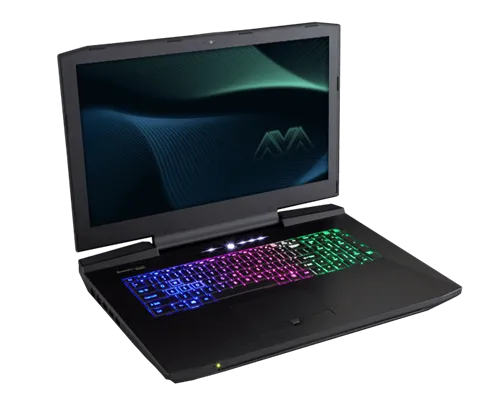
Photo by Nikitarama / Wikimedia Commons / CC BY-SA 4.0
If your gaming laptop feels fast for the first few minutes of a session and then noticeably slows down, that’s not your imagination — it’s thermal throttling, and it’s one of the most common experiences gaming laptop owners run into. Understanding why it happens makes it much easier to manage.
What thermal throttling actually is
Every CPU and GPU has a maximum safe operating temperature. When a chip gets close to that limit, it automatically reduces its own clock speed to generate less heat and protect itself from damage. That’s throttling, and it’s a deliberate safety mechanism, not a malfunction. The frustrating part is that it directly reduces performance — a chip that’s throttling is running slower than it’s capable of, precisely when you’re pushing it hardest.
Why laptops throttle more than desktops
A desktop CPU or GPU sits under a cooler with room for large heatsinks, multiple fans, and often liquid cooling, inside a case with generous airflow. A laptop has to fit similar or only modestly less powerful chips into a chassis a fraction of the size, with thin heat pipes, smaller fans, and far less room for air to move. Some of that heat also has nowhere to go but directly under your hands and wrists. Manufacturers tune the power limits and fan curves to balance performance, noise, and chassis temperature — and that tuning varies enormously between models, which is why two laptops with similar specs can perform very differently under sustained load.
Signs you’re being throttled
The clearest sign is a drop in frame rate or noticeable stutter that appears only after you’ve been playing for a while, not right at launch — the system starts at full performance and degrades as internal temperatures climb. Fans running at maximum speed continuously, a chassis that gets hot to the touch (particularly near the keyboard or vents), and monitoring software showing clock speeds well below the chip’s rated boost speed are all supporting signs. Many laptops also include monitoring or performance-mode software that can show live temperature and clock data if you want to confirm it directly.
Practical ways to reduce throttling
- Elevate the laptop and keep vents clear. Gaming on a soft surface like a bed or couch cushion blocks intake vents almost immediately, cutting off airflow to the cooling system. A hard, flat, open surface makes a real difference.
- Use a laptop cooling pad. A pad with its own fans can supplement intake airflow, particularly on laptops that draw air from the bottom.
- Keep the internals clean. Dust buildup on heatsink fins and fans reduces cooling efficiency over time; many laptops allow at least partial access for cleaning, though some require professional service.
- Use the laptop’s performance/thermal profile settings. Most gaming laptops include selectable power profiles. A “balanced” profile that keeps the chip a bit further from its thermal ceiling can sometimes deliver more consistent frame rates over a long session than an unrestricted “performance” mode that throttles hard once temperatures spike.
- Consider undervolting where supported. Reducing the voltage supplied to a CPU or GPU, where the hardware and software support it, can lower heat output with minimal performance loss. This isn’t available or safe on every system, so check what your specific hardware supports before attempting it.
Set realistic expectations
Some degree of clock speed reduction under long, sustained load is normal even on a well-designed gaming laptop — it’s the tradeoff for portability. The goal isn’t to eliminate throttling entirely, which usually isn’t possible in a laptop chassis, but to keep it mild and predictable rather than severe. If a laptop throttles heavily within the first minute or two of a demanding game, that’s a sign of an undersized cooling system relative to its components, and worth factoring into any future purchase decision.
Our picks: Gaming laptops
Shop on Amazon
Affiliate links.As an Amazon Associate I earn from qualifying purchases. Links below go to Amazon; prices and availability change, so check Amazon for current pricing.Affiliate disclosure
Illustrative photos: Photo by Nikitarama / Wikimedia Commons / CC BY-SA 4.0