Graphics Cards for 1080p Gaming: RTX 5060, Radeon RX 7600, Intel Arc B570 and RX 9060 XT
Four entry-level graphics cards for 1080p gaming, the VRAM question, and the settings that keep frame rates high on a budget card.
Four entry-level graphics cards for 1080p gaming, the VRAM question, and the settings that keep frame rates high on a budget card.
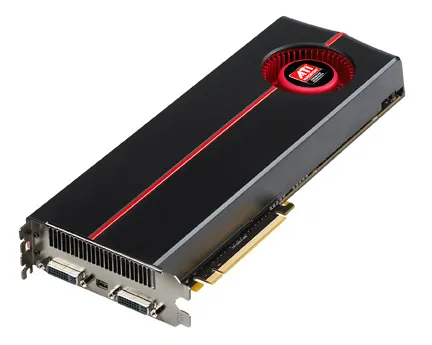
Photo by Advanced Micro Devices, Inc. (AMD) / Wikimedia Commons / Attribution
Affiliate links.As an Amazon Associate I earn from qualifying purchases. Links below go to Amazon; prices and availability change, so check Amazon for current pricing.Affiliate disclosure
1080p is still the most common gaming resolution, and it doesn’t need an expensive graphics card. These four entry-level cards cover the budget range. Check current benchmarks for the games you play, because results vary by game.
NVIDIA GeForce RTX 5060
The NVIDIA GeForce RTX 5060 supports DLSS 4, including frame generation, which can raise frame rates a lot in supported games. It has 8GB of VRAM.
AMD Radeon RX 7600
The AMD Radeon RX 7600 is a previous-generation 8GB card that is often among the cheapest new options for 1080p.
Intel Arc B570
The Intel Arc B570 has 10GB of VRAM, more than most cards at this level. As with other Arc cards, enable Resizable BAR in the BIOS and pair it with a modern CPU.
AMD Radeon RX 9060 XT
The AMD Radeon RX 9060 XT comes in 8GB and 16GB versions. The 16GB version gives more room for high texture settings over the years.
The 8GB question
8GB cards run most games well at 1080p, but some new games need lower texture settings to stay within 8GB. If you keep cards for several years, a card with more VRAM is the safer choice.
Settings that help on budget cards
- Lower textures one step if the game stutters, which usually means VRAM is full.
- Use upscaling (DLSS, FSR or XeSS) on the “Quality” setting.
- Turn down shadows and volumetric effects first; they cost a lot of performance for little visible difference.
Bottom line
For 1080p, any of these is a good start. Choose more VRAM when you plan to keep the card a long time, and use upscaling to stretch performance further.
Our picks: Graphics cards
Shop on Amazon
Affiliate links.As an Amazon Associate I earn from qualifying purchases. Links below go to Amazon; prices and availability change, so check Amazon for current pricing.Affiliate disclosure
NVIDIA GeForce RTX 5070 Ti
16GB card that handles high-refresh 1440p and entry 4K.
Check price on AmazonNVIDIA GeForce RTX 5060 Ti 16GB
Budget-friendly 1080p/1440p pick; get the 16GB version.
Check price on Amazon
Illustrative photos: Photo by Timothy Borkowski / Wikimedia Commons / CC BY-SA 3.0; Photo by Advanced Micro Devices, Inc. (AMD) / Wikimedia Commons / Attribution