PCIe 5.0 SSDs for Gaming: Samsung 9100 PRO, WD_BLACK SN8100 and Crucial T705
What PCIe 5.0 NVMe drives actually change for games, which newer drives to look at, and when a fast PCIe 4.0 drive is still the smarter buy.
What PCIe 5.0 NVMe drives actually change for games, which newer drives to look at, and when a fast PCIe 4.0 drive is still the smarter buy.
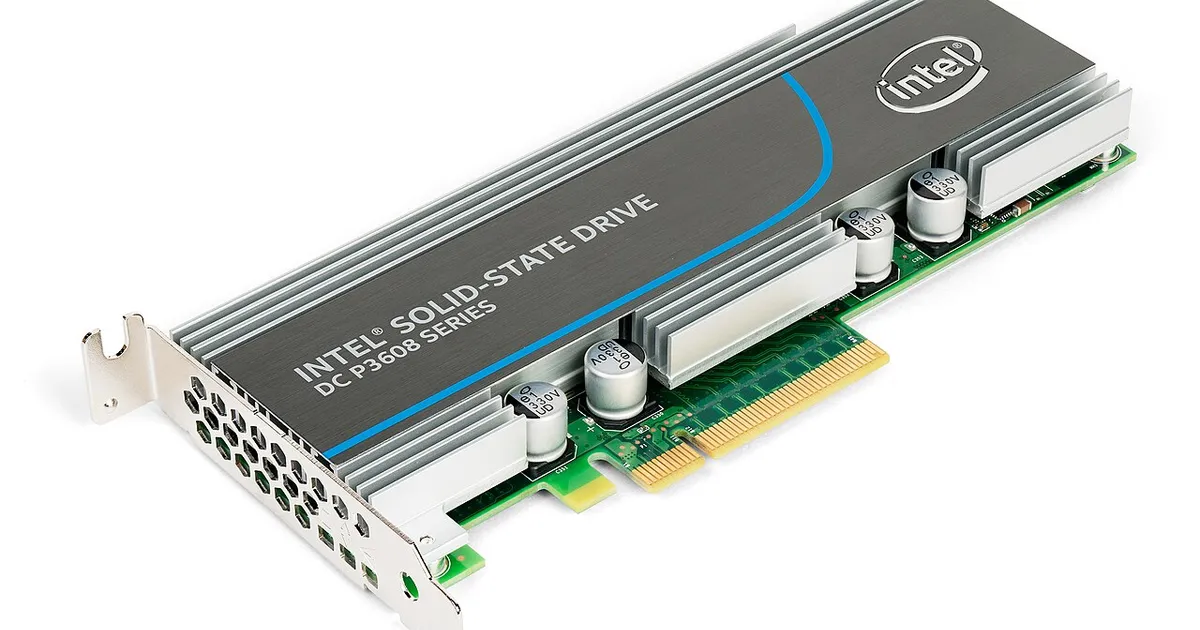
Photo by Dmitry Nosachev / Wikimedia Commons / CC BY-SA 4.0
Affiliate links.As an Amazon Associate I earn from qualifying purchases. Links below go to Amazon; prices and availability change, so check Amazon for current pricing.Affiliate disclosure
PCIe 5.0 SSDs post sequential speeds roughly double those of the best PCIe 4.0 drives. That sounds like a big gaming upgrade, but the reality is more nuanced. This guide explains where the extra speed helps, which drives to look at, and what to check on your motherboard first.
Do games load faster on PCIe 5.0?
Mostly, only a little. Load times depend on asset decompression, CPU work and how the game streams data, not just raw drive speed. Moving from a hard drive or SATA SSD to any NVMe drive makes a huge difference; moving from a fast PCIe 4.0 drive to PCIe 5.0 usually makes a small one. PCIe 5.0 helps most with copying large files, video editing and other work that moves big chunks of data.
Drives to look at
- Samsung 9100 PRO: Samsung’s PCIe 5.0 flagship, sold with or without a heatsink.
- WD_BLACK SN8100: WD’s PCIe 5.0 gaming drive, known for running cooler than early Gen5 drives.
- Crucial T705: one of the earlier fast PCIe 5.0 drives. It runs hot, so plan for a heatsink.
Check before you buy
- Your M.2 slot: a PCIe 5.0 drive only runs at full speed in a PCIe 5.0 M.2 slot. Most AM5 boards with B650E, X670E, B850 or X870 chipsets have at least one; many plain B650 boards don’t. In a 4.0 slot the drive still works, at 4.0 speeds.
- Cooling: PCIe 5.0 drives get hot and throttle without a heatsink. Use the motherboard’s M.2 heatsink, or buy the drive’s heatsink version.
- Lane sharing: on some boards, a particular M.2 slot takes PCIe lanes from the graphics card. Check the manual before you choose a slot.
When PCIe 4.0 is the better buy
For a gaming PC, a larger PCIe 4.0 drive is often the better buy than a smaller PCIe 5.0 drive. A 2TB or 4TB Gen4 drive holds more of your library, and you are unlikely to notice the speed difference in games. The SSD picks on this page include several solid Gen4 options.
Bottom line
Buy PCIe 5.0 if your board supports it and you regularly move large files. For gaming alone, spend on capacity first.
Our picks: SSDs
Shop on Amazon
Affiliate links.As an Amazon Associate I earn from qualifying purchases. Links below go to Amazon; prices and availability change, so check Amazon for current pricing.Affiliate disclosure
Illustrative photos: Photo by Dmitry Nosachev / Wikimedia Commons / CC BY-SA 4.0