PlayStation 5 Buying Guide: Choosing the Right Model and Accessories
What actually matters when buying a PlayStation 5 today — model differences, storage, and which accessories are worth getting on day one.
What actually matters when buying a PlayStation 5 today — model differences, storage, and which accessories are worth getting on day one.

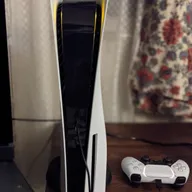
Photo by Osh33m / Wikimedia Commons / CC BY-SA 4.0
Picking a PlayStation 5 sounds simple until you’re staring at a store page with multiple editions, storage options, and a wall of accessory upsells. Here’s what genuinely affects your experience and what’s just marketing noise.
Digital vs. Disc Editions
The core difference between PlayStation 5 editions comes down to whether the console has a disc drive. If you buy most of your games digitally already, or you’re fine picking up a drive later if it’s offered as an add-on, the digital-only route saves shelf space and skips a moving part that can eventually fail. If you buy used games, borrow discs from friends, or want to resell games later, a disc drive keeps that option open. Neither choice affects the console’s actual gaming performance — the internal hardware is the same either way.
Storage: Why the Base Amount Runs Out Fast
Modern games routinely take up a large chunk of built-in storage, and with day-one patches and expansion content added on top, it doesn’t take many installed titles before you’re deleting things to make room. If you play a rotating library of games rather than just one or two at a time, plan on expanding storage sooner rather than later. PlayStation 5 supports both an internal expansion slot for a compatible high-speed drive and external USB drives for storing (not directly playing) PS4-era titles. Check current console documentation for the specific drive speed requirements before buying one, since not every fast drive on the market qualifies.
Accessories Worth Buying First
A second controller is the single most valuable add-on if you ever play local co-op or have another person in the house who games. Beyond that, prioritize based on how you actually play:
- A vertical stand if you plan to keep the console upright — some editions include one, others don’t, so check before assuming.
- A headset if you play online multiplayer, since built-in TV speakers make voice chat and directional audio worse than they need to be.
- An extra USB-C charging cable for controllers, since losing track of the one included cable is a common annoyance.
Skip anything marketed as “essential” that duplicates what’s already in the box, like basic HDMI cables — the included one is fine for most setups unless you specifically need a longer run or a higher-bandwidth cable for high refresh rate displays.
Common First-Time Buyer Mistakes
New owners often overspend on accessories before they know what they’ll actually use, or underspend on storage and end up frustrated within the first few months. Another common mistake is not checking that a TV or monitor’s HDMI port and cable actually support the console’s full output capabilities — an older HDMI cable can quietly cap resolution or refresh rate without any obvious error message.
It’s also worth registering the console and keeping the receipt or order confirmation somewhere easy to find. Warranty claims move faster with proof of purchase, and console theft or loss claims (for insurance purposes) are much easier with a serial number on record.
Putting It Together
Decide on digital vs. disc based on how you actually buy games, budget for a storage upgrade sooner rather than later if you’re a multi-game player, and resist the urge to buy every accessory on offer at checkout. A second controller and a headset cover most people’s real needs — everything else can wait until you know what you’re missing.
Our picks: PlayStation
Shop on Amazon
Affiliate links.As an Amazon Associate I earn from qualifying purchases. Links below go to Amazon; prices and availability change, so check Amazon for current pricing.Affiliate disclosure

Illustrative photos: Photo by Osh33m / Wikimedia Commons / CC BY-SA 4.0; Photo by Alex Cochrane / Wikimedia Commons / CC BY-SA 4.0