How to Budget for a Gaming PC Without Overspending or Underbuilding
A simple framework for splitting your budget across GPU, CPU, and the rest of a gaming PC build so no single part becomes a bottleneck.
A simple framework for splitting your budget across GPU, CPU, and the rest of a gaming PC build so no single part becomes a bottleneck.

Photo by Gaming PC Bundle / Wikimedia Commons / CC BY-SA 4.0
The most common mistake in a first gaming PC build isn’t picking a “bad” part — it’s picking a great part in the wrong proportion to everything else. A superb graphics card paired with a weak power supply, or a high-end CPU riding along with a cramped case and two sticks of low-capacity RAM, both waste money on the strong component because something else is holding the system back.
Start with your target, not your budget
Before allocating a single dollar, decide what you’re actually trying to run and at what resolution and frame rate. A system built for 1080p at a standard refresh rate looks very different from one built for 1440p at high refresh, which looks different again from a 4K-focused build. This target should drive every purchasing decision that follows — it’s far more useful than starting with “I have $X, what can I get.”
A rough allocation framework
There’s no single correct split, but a workable starting framework for a gaming-focused build looks roughly like this:
- Graphics card: roughly a third to 40% of your budget. For gaming specifically, the GPU has the single largest impact on frame rates and visual quality, so it deserves the largest individual line item.
- CPU: roughly 15–20%. Enough to avoid bottlenecking your GPU at your target resolution, without chasing a top-tier chip that a mid-range card can’t take advantage of.
- Storage, RAM, motherboard, case, PSU, and cooling: the remaining 40–50%, spread across all of them. This is the part people underfund. A cheap PSU or a case with poor airflow can undermine an otherwise well-chosen build.
Treat these as a starting point to sanity-check your cart, not a rigid formula — a few percentage points either way is fine.
The parts people underspend on
Power supplies, cases, and storage are the three most commonly shortchanged categories, because they don’t show up in frame-rate conversations the way a GPU does. But a PSU with too little headroom, poor voltage regulation, or no meaningful warranty is a real risk to every other component in the system. A case with weak airflow raises temperatures across the board and can force your other parts to run below their potential. And a single small, slow drive fills up fast and makes load times worse than they need to be. None of these are the “exciting” part of a build, but they’re the parts that make the exciting parts actually work well.
The parts people overspend on
It’s easy to overspend on a CPU or on RAM capacity/speed beyond what your actual use case needs. A high frame-rate target at 1080p benefits from a fast CPU; the same budget spent on a top-tier CPU for a 4K, GPU-bound target often would have been better spent on the graphics card instead, since at higher resolutions the GPU becomes the limiting factor for most games. Similarly, doubling RAM capacity or paying a premium for the fastest RAM speed rarely moves gaming performance as much as people expect — see our companion piece on RAM speed and timings for the specifics.
Leave room for the parts you can’t skip
Don’t let the “fun” components eat the entire budget before you’ve priced out a case, PSU, storage drive, and cooler. It’s far better to plan the full parts list first — even roughly — and then trim from the top (usually the GPU tier) if you’re over budget, rather than build up from a GPU purchase and discover you have nothing left for the rest of the system.
Future-proofing has a real ceiling
Buying one tier above what you need “for the future” is a reasonable hedge, but there’s a point of diminishing returns — hardware moves fast enough that overspending today rarely buys you meaningfully more years of relevance. A more reliable long-term strategy is choosing standard, easily upgradable parts (a full-size case, a PSU with headroom, a motherboard with open slots) so you can swap the GPU or add storage later, rather than trying to buy a system that never needs upgrading.
Our picks: Prebuilt gaming PCs
Shop on Amazon
Affiliate links.As an Amazon Associate I earn from qualifying purchases. Links below go to Amazon; prices and availability change, so check Amazon for current pricing.Affiliate disclosure
Skytech Gaming PC RTX 5070
Prebuilt with standard parts that are easy to upgrade.
Check price on Amazon

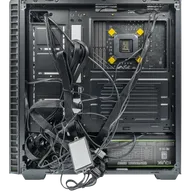
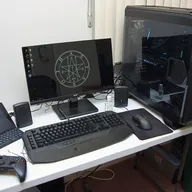
Illustrative photos: Photo by Gaming PC Bundle / Wikimedia Commons / CC BY-SA 4.0; Photo by PantheraLeo1359531 / Wikimedia Commons / CC BY 4.0; Photo by Brian Wong / Wikimedia Commons / CC BY-SA 2.0