Prebuilt vs. Custom-Built Gaming PC: Which Should You Choose?
Warranty, cost, and control are the three things that actually separate a prebuilt gaming desktop from a self-built one. Here is how to weigh them.
Warranty, cost, and control are the three things that actually separate a prebuilt gaming desktop from a self-built one. Here is how to weigh them.

Photo by Gaming PC Bundle / Wikimedia Commons / CC BY-SA 4.0
Every new PC gamer eventually hits the same fork in the road: buy a finished machine from a system integrator, or source the parts and build it yourself. Neither option is objectively “better” — they solve different problems. Here is how to decide which one fits you.
What you’re really paying for with a prebuilt
A prebuilt gaming PC bundles more than hardware. You’re paying for someone else’s time spent selecting compatible parts, assembling the system, running it through validation, and standing behind it with a single-point-of-contact warranty. If something fails in the first year or two, you box it up and send it back rather than diagnosing which of six components is at fault yourself.
That convenience shows up as a premium over buying the same parts individually — sometimes small, sometimes significant, depending on the retailer and how aggressively they’re pricing that particular configuration. Prebuilts also vary widely in build quality: some use full-size, easily serviceable cases with standard power supplies, while budget lines cram proprietary motherboards and non-standard PSUs into cramped cases that are difficult or impossible to upgrade later. If you go this route, look specifically for standard ATX components inside, not just a good price on paper.
What you’re really paying for with a custom build
Building your own system trades time and a bit of risk for control. You choose exactly which brand and model of every part goes in, you know precisely what you’re getting, and you can shop sales on individual components rather than accepting a bundled price. You also learn your own hardware — which pays off the first time something needs troubleshooting, because you’re not starting from zero.
The tradeoffs are real, though. There’s no single warranty to call; each component is covered separately by its own manufacturer, and you’re the one who has to figure out which part is causing a problem. Assembly mistakes — a poorly seated cooler, a cable routed against a fan, a case standoff left in the wrong spot — are on you to catch. And it takes real time: researching compatible parts, ordering them, and then several hours of hands-on assembly and driver setup.
Cost isn’t always the deciding factor
It’s tempting to frame this purely as “build it yourself to save money,” but that’s not always true. Retailers with real purchasing volume sometimes sell prebuilts at or near component cost, especially during sales periods, because they profit on volume and on selling you accessories and services afterward. Compare a specific prebuilt configuration against sourcing the same tier of parts yourself before assuming DIY is cheaper — sometimes it is, sometimes the gap is small enough that the warranty and convenience tip the scale.
Upgradability matters more than people expect
A system you plan to keep for five-plus years benefits enormously from being built on standard parts: a full-size ATX or Micro-ATX motherboard, a standard PSU form factor, and a case with room to grow. This is true whether you buy prebuilt or build custom — the difference is that when you build it yourself, you already know it’s standard, because you chose the parts. When buying prebuilt, this is the single most important thing to verify before purchase, since proprietary designs can make future GPU, PSU, or motherboard swaps difficult or impossible.
Which one should you actually choose
If you want a working system with minimal research and a warranty safety net, and you’re buying from a reputable integrator that uses standard parts, prebuilt is a perfectly reasonable choice. If you want maximum control over component selection, are comfortable troubleshooting your own hardware, and enjoy the process, building it yourself will usually get you more precisely tailored value. Many gamers land in between: buying prebuilt for their first system, then building or heavily upgrading the next one once they understand what they actually want out of a PC.
Our picks: Prebuilt gaming PCs
Shop on Amazon
Affiliate links.As an Amazon Associate I earn from qualifying purchases. Links below go to Amazon; prices and availability change, so check Amazon for current pricing.Affiliate disclosure
Skytech Gaming PC RTX 5070
Prebuilt with standard parts that are easy to upgrade.
Check price on Amazon

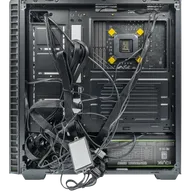
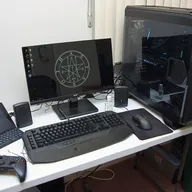
Illustrative photos: Photo by Gaming PC Bundle / Wikimedia Commons / CC BY-SA 4.0; Photo by PantheraLeo1359531 / Wikimedia Commons / CC BY 4.0; Photo by Brian Wong / Wikimedia Commons / CC BY-SA 2.0