RAM Speed and Timings Explained: Do They Really Matter for Gaming
RAM speed and CAS latency numbers look important on a spec sheet, but their real-world gaming impact is smaller — and different — than most buyers assume.
RAM speed and CAS latency numbers look important on a spec sheet, but their real-world gaming impact is smaller — and different — than most buyers assume.
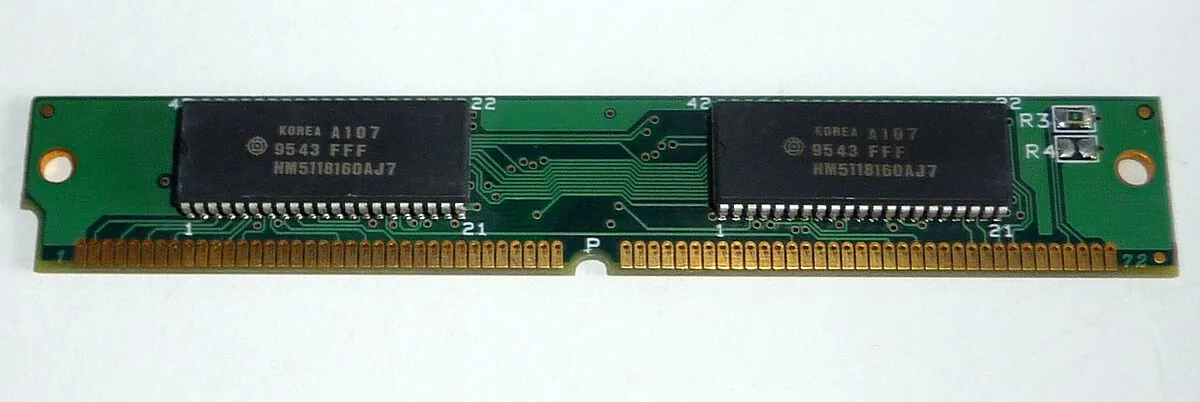
Photo via Wikimedia Commons / CC BY-SA 3.0
RAM listings are covered in numbers beyond simple capacity: a speed rating in MHz, and a string of numbers representing timings, often headlined by CAS latency (CL). Both matter, but less than capacity does for most gamers, and understanding what they actually measure helps you avoid overpaying for marginal gains.
What RAM speed (MHz) actually measures
The MHz rating describes how quickly data can transfer to and from the RAM modules — a rough measure of bandwidth. Higher-rated RAM can move more data per second than lower-rated RAM of the same generation. In gaming specifically, faster RAM tends to produce modest gains, and the size of that gain depends heavily on the rest of the system — some CPU architectures are more sensitive to RAM speed than others, and the effect is generally more noticeable at higher, more CPU-bound frame rates than at settings where the GPU is the limiting factor.
What timings and CAS latency actually measure
Timings describe the delay, measured in clock cycles, between a request being sent to the RAM and the RAM responding — lower numbers mean a shorter delay. CAS latency (CL) is the most commonly cited of these, but it doesn’t tell the full story on its own: the same CL number represents a different actual time delay at different RAM speeds, because it’s measured in clock cycles rather than a fixed unit of time. Comparing timings meaningfully between two RAM kits with different speed ratings requires converting to actual latency in nanoseconds, not just comparing the raw CL numbers.
Why capacity still matters more than either
It bears repeating: neither RAM speed nor tighter timings help you if you simply don’t have enough total capacity. A system with insufficient RAM capacity will stutter and swap to storage regardless of how fast that limited RAM is. If you’re choosing between spending extra on higher-rated speed or timings versus spending it on more capacity, more capacity is almost always the better value for typical gaming use, since it prevents an entirely different and more severe category of performance problem.
XMP and EXPO: getting your RAM’s rated speed at all
Here’s a detail that trips up a lot of new builders: RAM installed at its default settings often runs well below its advertised speed rating unless you specifically enable a memory profile in your motherboard’s BIOS — commonly labeled XMP or EXPO depending on the platform. Without enabling this, you may not be getting the speed you paid for at all. This is typically a simple one-time setting to enable during initial system setup, and it’s worth checking after any new build or RAM upgrade to confirm the RAM is actually running at its rated speed rather than a conservative default.
A practical way to prioritize
For most gaming builds, the sensible order of priority is: get the right total capacity first, make sure it’s installed in dual-channel and running its rated speed via XMP or EXPO, and only then consider paying a premium for a higher speed tier or tighter timings within your budget. Chasing a marginally higher speed rating while running the wrong capacity, single-channel, or without enabling the memory profile at all means missing out on far larger and more reliable gains than the speed number alone would ever provide.
Our picks: Memory
Shop on Amazon
Affiliate links.As an Amazon Associate I earn from qualifying purchases. Links below go to Amazon; prices and availability change, so check Amazon for current pricing.Affiliate disclosure
G.Skill Trident Z5 Neo RGB DDR5-6000 32GB
EXPO-tuned kit made for Ryzen, with RGB.
Check price on AmazonKingston FURY Beast DDR5 32GB 6000MHz
Low-profile kit that clears big air coolers.
Check price on Amazon
Illustrative photos: Photo via Wikimedia Commons / CC BY-SA 3.0; Photo by Victorrocha / Wikimedia Commons / CC BY 3.0