Planning a PC Build in the Right Order Saves You From Most Mistakes
The order you make decisions in matters as much as the decisions themselves. A practical sequence for planning a PC build from the ground up, without needing to already own the parts.
Main page for gaming pcs: Gaming PCs →
The order you make decisions in matters as much as the decisions themselves. A practical sequence for planning a PC build from the ground up, without needing to already own the parts.
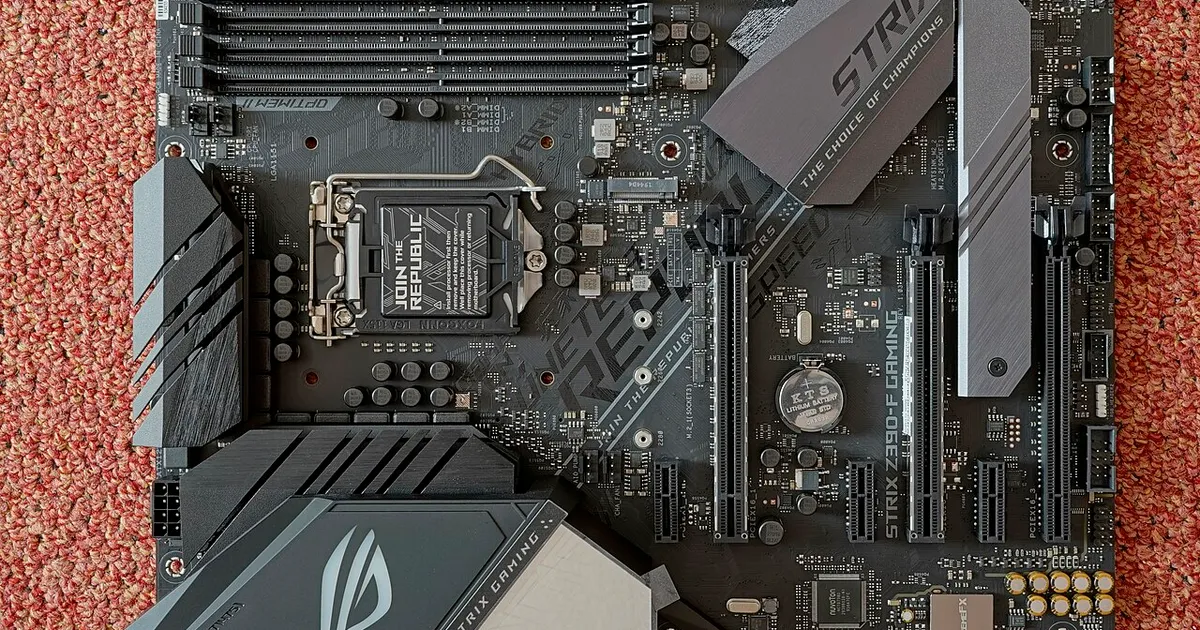
Photo by PantheraLeo1359531 / Wikimedia Commons / CC BY 4.0
When people plan their first PC build, a common instinct is to pick the exciting parts first — the graphics card, maybe a case that looks good — and fill in the rest around them. That approach tends to produce mismatched builds, over-budget carts, or parts that arrive and don’t quite fit. A more reliable method is to plan in a specific order, where each decision narrows and informs the next one, rather than treating every component as an independent choice.
Start with what the PC actually needs to do
Before any part selection, it helps to define the job the machine is doing. A build meant mainly for gaming at a particular resolution and refresh rate has different priorities than one meant for content creation, general use, or a mix of everything. This isn’t about picking exact models yet — it’s about setting a rough shape for where the budget should lean, since the biggest performance differences in most builds come down to how the budget is split between the graphics card, the processor, and everything else.
Set a total budget before you set component budgets
It’s tempting to decide “I’ll spend whatever the graphics card costs, plus whatever everything else costs,” but that tends to balloon. A more disciplined approach is to set the total figure first, then allocate rough percentages to each category: graphics card, processor and motherboard, memory and storage, power supply, case, and cooling. None of these numbers need to be exact at this stage — the point is to have a target that keeps the rest of the planning honest.
Lock in the CPU and motherboard as a pair
As covered in more detail elsewhere, the processor and motherboard need to match on socket and chipset, and the motherboard’s chipset also influences what features are available — things like how many storage drives it supports, how much memory it can handle, and what expansion is possible down the line. Deciding these two together, rather than picking a CPU and then hunting for “a board that fits,” keeps the rest of the process moving smoothly.
Choose the case before finalizing the graphics card and cooler
This step is where a lot of builds go wrong, because it’s usually done backwards. A case sets hard limits on graphics card length, cooler height, and radiator mounting options. If you pick the graphics card and cooler first and then shop for a case that fits both, you’re solving a much harder puzzle with fewer options. Choosing a case with clearance specifications in mind — and checking your intended GPU and cooler against those numbers — avoids a lot of last-minute substitutions.
Fill in memory, storage, and the power supply last
By the time you reach memory, storage, and the power supply, most of the hard compatibility work is done. What’s left is sizing: enough memory capacity and speed for the supported range of your motherboard, enough storage for how you actually plan to use the machine, and a power supply with enough headroom and the right connectors for everything else on your list. Because these decisions depend on parts you’ve already chosen, doing them last avoids having to redo earlier work.
Why the order matters more than the details
Every step in this sequence exists to prevent you from having to unwind a decision later. Pick the case before the cooler and you might buy a cooler that doesn’t fit. Pick the graphics card before the case and you might buy a case that’s too small. None of these mistakes are really about picking a “bad” component — they’re about picking components in an order that creates conflicts. Planning in sequence, rather than by excitement level, is the simplest way to avoid rework.
Our picks: Processors & Motherboards
Shop on Amazon
Affiliate links.As an Amazon Associate I earn from qualifying purchases. Links below go to Amazon; prices and availability change, so check Amazon for current pricing.Affiliate disclosure
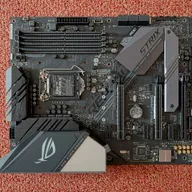
Illustrative photos: Photo by Myself User:ZyMOS / Wikimedia Commons / CC BY-SA 4.0; Photo by Marcin Wieclaw (pcsite.co.uk) / Wikimedia Commons / CC BY-SA 4.0; Photo by Jacek Halicki / Wikimedia Commons / CC BY-SA 4.0; Photo by PantheraLeo1359531 / Wikimedia Commons / CC BY 4.0; Photo by Ondřej Martin Mach / Wikimedia Commons / CC BY-SA 3.0